


If you require a WEB receipt, you can issue one from “Order History” in My Account.
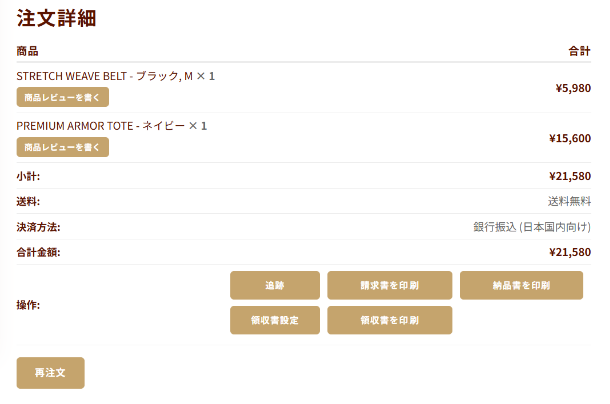
Once your order has been shipped, you can issue a WEB receipt from the details page of the applicable order.
When WEB Receipts Are Not Available
WEB receipts cannot be issued for the following payment methods:
・Cash on Delivery (COD)
・Deferred Payment / Pay Later
When Using Coupons, Points, or Discounts
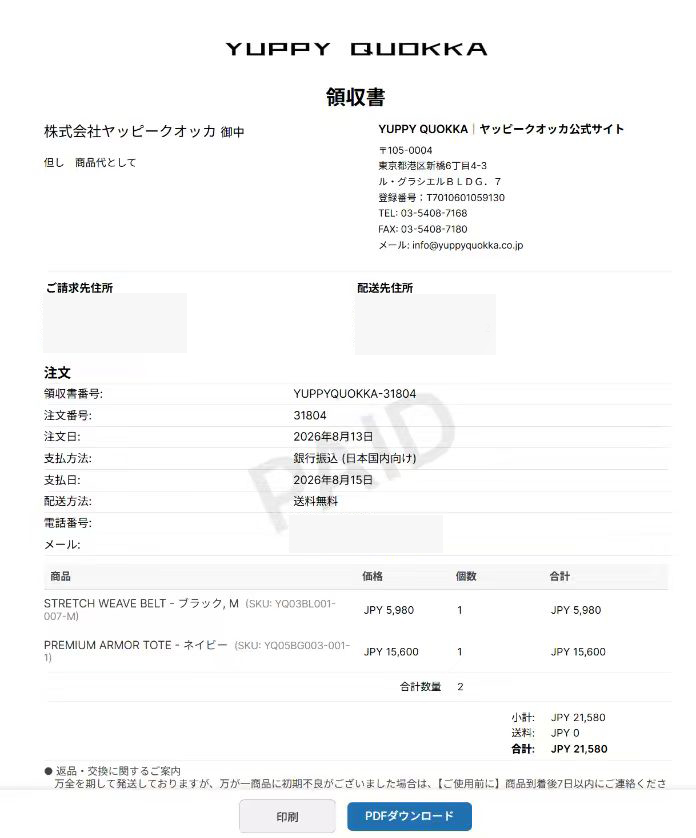
The amount shown on the receipt will be the amount actually paid by the customer and received by us.
Amounts covered by coupons, points, or other discounts will not be included in the receipt amount. Thank you for your understanding.
Cancellations, Returns, and Refunds
If your order is canceled, returned, or refunded after purchase, the amount shown on the WEB receipt may differ from the actual amount paid, depending on the order and refund status.
Please check your order details and payment amount before issuing the receipt.
When You Can Issue a Receipt
WEB receipts can only be issued for orders that have already been shipped.
Receipts cannot be issued before shipment. Please check My Account after your order has been shipped.
How to Issue a Receipt
Log in to My Account.
Open “Order History” and select the order for which you would like to issue a receipt.
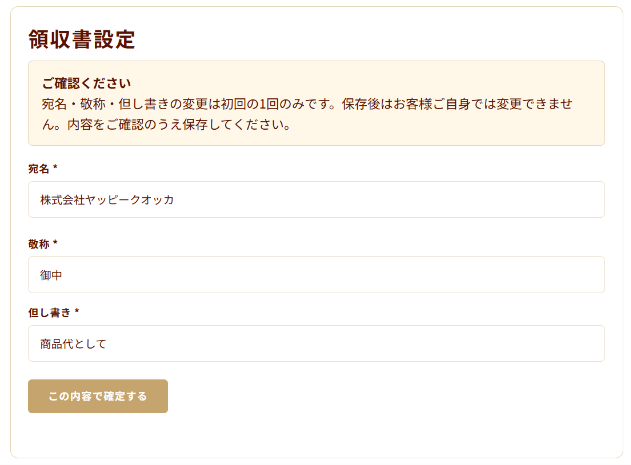
If you would like to change the recipient name or receipt description, click the “Receipt Settings” button.
After completing the receipt settings, click the “Print Receipt” button.
Your WEB receipt will be generated. Please check the details and download the receipt.
Important Notes
WEB receipts are issued electronically.
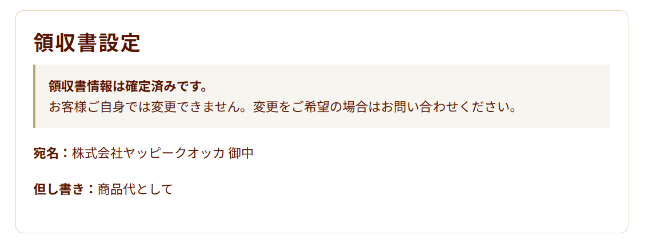
If fields for the recipient name or receipt description are displayed, please carefully check the information before issuing the receipt.
Once a receipt has been issued, it may not be possible to reissue it. Please make sure that all information is correct before issuing your receipt.